How does an acquisitions team hand off a seller lead in CLP?
Open the handoff review for a lead, select an eligible teammate and choose exactly which open tasks to transfer. Review the open deals that follow the lead owner, and optionally create a dated follow-up task for the new owner. Confirm the proposed changes after reviewing the current seller context.
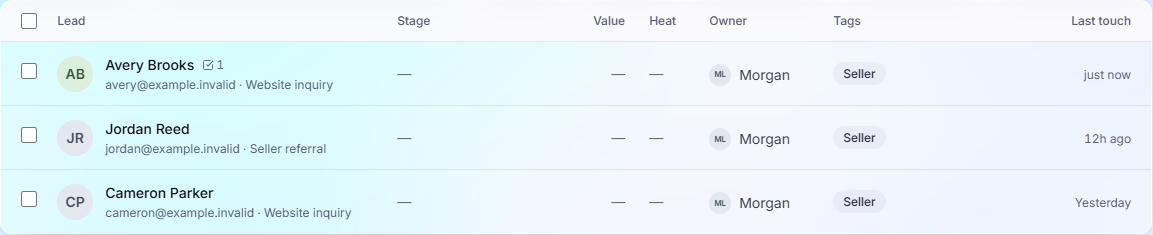
Open larger screenshot
Before you start
- Permission to edit the lead and an eligible teammate in the same workspace.
- Current seller notes, open tasks and deal context that the receiving teammate can review within their access.
- An agreed next responsibility; changing ownership does not itself send a seller message or assignment notification.
Put the workflow into practice
Bring the seller's context up to date
Read the latest conversation and record the current timeline, contact preference and open questions. Note which facts are seller-reported and which the team has checked. A new owner should not need to guess why the handoff is happening.
Record the reason for the handoff and the next useful conversation.
Open the handoff review
Review the current lead owner, eligible recipients and open work. Confirm that the intended teammate is the one taking the next responsibility and has the appropriate workspace access. A lead owner and a task assignee are separate responsibilities; review both.
Choose the new lead owner from the eligible teammates.
Select the open tasks that should move
Nothing is selected automatically. Review each open task and transfer only the work the new owner should perform. Other tasks stay with their current assignees, preserving their existing dates and details.
Check the selected task list and the work intentionally left behind.
Review the open deals included
The handoff review shows open deals that follow the lead owner. Review these before confirming the transfer. Closed deals stay unchanged, and existing notes and files remain with the lead.
Confirm the affected open deals and their current next actions.
Add a new follow-up only when needed
If no existing selected task covers the next step, optionally create a follow-up for the receiving owner with a specific title and deadline. Avoid creating another task for work already transferred.
Review the new task's purpose and due time, or leave this option off.
Confirm and review the recorded outcome
Read the proposed owner and task changes before confirming. If the information changed during review, reload it and review the latest state. After saving, check the new owner and selected tasks before arranging any separate communication.
Confirm the recorded handoff and coordinate any needed teammate or seller message separately.
Illustrative seller scenario
A consultation handoff between acquisition teammates
In this fictional example, Morgan transfers Avery's lead to a teammate handling the next consultation. Morgan selects the consultation-preparation task, leaves a separate source-research task with its current assignee, and reviews the open deal following the lead owner. The receiving teammate then reads the existing notes before contacting Avery.
Set up your workspace for this workflow
Separate ownership from communication
Saving a handoff changes the reviewed ownership and task records. It does not send seller messages or assignment notifications. Decide how to coordinate the conversation as a separate team action.
Review channel readiness after an ownership change
Campaign emails use the assigned lead owner's mailbox. Check relevant campaigns and the new owner's connected mailbox before relying on later email delivery.
Common pitfalls and the next useful action
Assuming every open task moved
Only the chosen open tasks transfer. Review the summary and check the tasks that remain with their previous assignees.
Saving from an outdated handoff review
If ownership, tasks or eligible access changed, refresh and review the latest information. Confirm an uncertain earlier attempt before starting a different handoff.
How this guide was reviewed
Reviewed the handoff preview interface, ownership effects and selected-task transfer service used for this team workflow.
- Checked that no tasks are preselected and only chosen eligible open tasks transfer, with their existing dates and details.
- Checked that affected open deals follow the owner while closed deals stay unchanged, and that recipient eligibility and stale previews are checked.
- Checked that an optional new follow-up is separate and the handoff action sends no seller messages or assignment notifications.
This was a source and interface review; no live ownership or task transfer was performed. Workspace permissions and current teammate eligibility still apply. Coordinate communication separately and recheck the new owner's mailbox before relying on campaign email.
Handoff preparation and follow-up
Acquisitions team handoff questions
Do all tasks transfer when I choose a new owner?
No. Choose exactly which open tasks transfer in the handoff review. Nothing is selected automatically; other tasks stay with their current assignees.
Which deals follow the new lead owner?
The handoff review lists affected open deals. Closed deals stay unchanged. Review the listed open deals before confirming the transfer.
Does a handoff notify the seller or the receiving teammate?
No messages or assignment notifications are sent by the handoff action. Coordinate any needed communication separately.
Can I create a follow-up for the new owner?
Yes. The handoff review can optionally create a follow-up with a title and deadline. Check existing tasks first so you do not duplicate the same action.
Try this workflow with your next seller lead
Start a 14-day free trial, set up your channels, and walk through the steps with a test lead.